Listen to LexisNexis — Turn Legal Research into Audio
CastReader adds text-to-speech to LexisNexis. Click play on any case, statute, or article — it reads aloud with paragraph highlighting and natural AI voices. Research while multitasking.
Why CastReader is Perfect for LexisNexis
Built for legal research — absorb more case law in less time
The Problem
Endless Pages of Case Law, No Audio
Lawyers and law students read hundreds of pages of case law, statutes, and legal commentary weekly on LexisNexis. The platform has no text-to-speech feature. All that reading is screen-only — creating eye strain and limiting when you can research.

Smart Extraction
Reads Case Text, Skips Citations & Navigation
Legal pages on LexisNexis are full of metadata, citation links, headnotes, and navigation elements. CastReader extracts the substantive text — opinion text, statutory language, article content — and reads only what matters.
Follow Along
Paragraph Highlighting
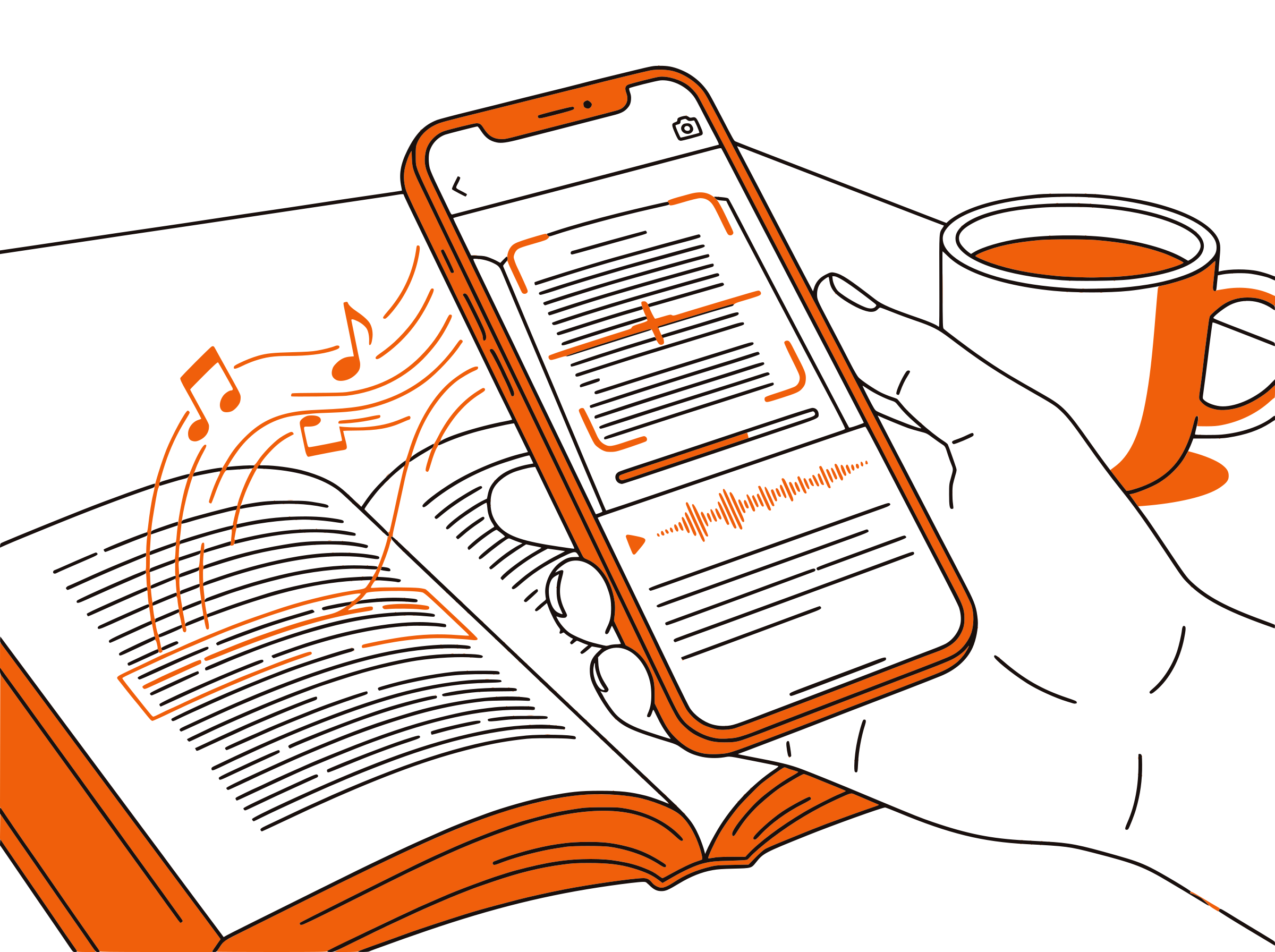
Each paragraph highlights as it's read aloud. Click any paragraph to jump there. Follow the court's reasoning visually while listening — reinforcing comprehension of complex legal arguments.

Multi-Tasking
Research During Your Commute
Billable hours are precious. Listen to case law during your commute, while reviewing documents, or during administrative tasks. CastReader's Send to Phone feature streams audio to your mobile via Telegram.

100% Free
No Extra Cost
Completely free. No signup, no subscription, no usage limits. LexisNexis subscriptions are already expensive — CastReader adds audio at zero additional cost.

LexisNexis Text to Speech in 2026: A Guide for Legal Professionals
LexisNexis (now branded as Lexis+) is one of the two dominant legal research platforms, used by law firms, courts, government agencies, and law schools worldwide. Attorneys and law students spend significant time reading case opinions, statutes, secondary sources, and legal news on the platform — often several hours a day during intense research or exam prep.
Despite its comprehensive features, LexisNexis has no built-in text-to-speech capability. This means every page of a 50-page court opinion, every section of a lengthy statute, and every law review article must be read on screen. For legal professionals who already spend their days reading contracts, briefs, and correspondence, this adds to significant screen fatigue.
CastReader solves this by adding intelligent text-to-speech directly to LexisNexis in your browser. Install the free Chrome or Edge extension, navigate to any case, statute, or article on Lexis+, and click play. CastReader reads the content aloud with natural AI voices, highlighting each paragraph as it goes.
The legal research workflow benefits enormously from audio. You can listen to a case opinion during your commute to prepare for a morning meeting. Law students can review case briefs while exercising. Paralegals can listen to statutory text while organizing files. The adjustable speed (0.5x-3x) lets you slow down for complex statutory language or speed through familiar material.
CastReader handles the unique challenges of legal text intelligently. It focuses on the substantive content — the court's opinion, statutory sections, article body text — while filtering out the dense navigation, citation metadata, and UI elements that surround legal documents on LexisNexis. The result is clean, listenable audio that captures the substance of your research.
Frequently Asked Questions
Everything about LexisNexis text to speech
Does LexisNexis have text to speech?
No, LexisNexis (Lexis+) does not have a built-in text-to-speech feature. CastReader adds free TTS to LexisNexis as a Chrome extension, reading case law, statutes, and articles aloud with natural AI voices.
Can I listen to case law on LexisNexis?
Yes. Install CastReader, open any case on LexisNexis, and click play. CastReader reads the court opinion aloud with paragraph highlighting, letting you follow the legal reasoning while listening.
Is CastReader free for LexisNexis?
Yes, 100% free. No signup, no subscription, no usage limits. Your LexisNexis subscription is expensive enough — CastReader adds audio at no extra cost.
Does it work with Lexis+ and Lexis Advance?
Yes. CastReader works with all versions of LexisNexis including Lexis+, Lexis Advance, and institutional access portals. It detects the content on any LexisNexis page.
Can law students use CastReader for exam prep?
Absolutely. Law students can listen to assigned cases, statutory text, and legal commentary while commuting or exercising. It's a great supplement to case briefing — listen to the full opinion, then write your brief.
Does it read citations aloud?
CastReader focuses on the substantive text content. Inline citations within the opinion text will be read, but navigation-style citation links and metadata sidebars are filtered out for cleaner audio.
Can I adjust the reading speed?
Yes. CastReader offers adjustable speed from 0.5x to 3x. Slow down for dense statutory language or speed up for review of familiar cases.
Does CastReader work with Westlaw too?
Yes. CastReader works on any web page, including Westlaw, LexisNexis, Fastcase, Google Scholar legal, and any other legal research platform accessed through a browser.
Can I listen on my phone?
Use CastReader's Send to Phone feature to stream audio to your phone via Telegram. Research on your desktop, listen during your commute.
Is it secure for confidential legal research?
CastReader processes text locally in your browser. Your research content is not sent to external servers — it's converted to speech using CastReader's AI engine without storing any document content.
How many languages does it support?
CastReader supports 40+ languages with natural AI voices. While most LexisNexis content is in English, CastReader automatically detects the language and selects the appropriate voice.
Does it work with LexisNexis through a university library?
Yes. CastReader works with LexisNexis accessed through university library portals, law school VPNs, and direct subscriptions. It reads the content regardless of how you access the platform.
Also Try
LexisNexis TTS Complete Guide
Step-by-step setup for legal research text to speech
Listen to Westlaw
Add TTS to Westlaw legal research
Listen to UWorld
Add TTS to Bar exam prep on UWorld
Listen to PDF
Read legal briefs and documents aloud
Send to Phone
Stream legal research to your phone
Listen to Wikipedia
Research background topics with audio
Start Listening to LexisNexis Now
Completely free. No signup. No limits. Turn legal research into audio.
★★★★★ 4.7 · Free · No login · No limits