Onyx Storm Audiobook & Text to Speech: Every Way to Listen (2026 Guide)
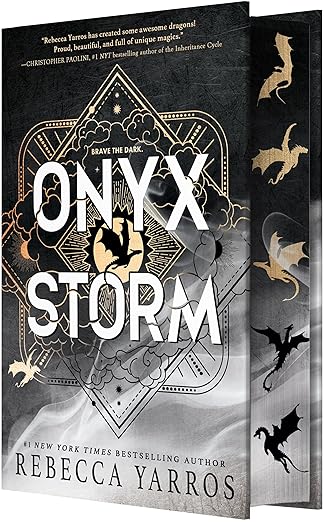
Onyx Storm — The Empyrean #3
Author: Rebecca Yarros
Published: January 21, 2025 · Red Tower Books
Pages: 544
Goodreads: 4.21★ (1.77M+ ratings) — view
Audiobook length: ~23 hours
Want to start listening right now? Use CastReader to read Kindle Cloud Reader aloud — free, one click →
Onyx Storm became the fastest-selling adult novel in 20 years when it launched in January 2025 — 2.7 million copies in its first week. It spent 8 weeks at #1 on the New York Times bestseller list and topped the 2025 Goodreads Reading Challenge as the most-read book of the year across every category.
It also clocks in at 544 pages. That's a real commitment. And once you start, you won't want to stop — which is why nearly half of Onyx Storm readers listen instead of read. This guide covers every way to do that, from the official Audible release to turning your Kindle copy into a free AI audiobook.
Listen to Onyx Storm Free: The Short Answer
Three paths, free or near-free:
- Borrow the Onyx Storm audiobook online — every major U.S. library lends it on Libby and Hoopla. Use a library card, skip the waitlist by holding at multiple systems.
- Use an Audible free trial — a 30-day trial includes one credit. Redeem on Onyx Storm, keep the audiobook forever, cancel before billing.
- Turn your Kindle copy into a read-aloud audiobook — if you already own the Kindle edition, CastReader converts Kindle Cloud Reader into AI narration with one click, free forever. This is how to listen to Onyx Storm for free without a library card or trial.
Details on each below, plus how to use Kindle text-to-speech on every device you own.
About Onyx Storm
After nearly eighteen months at Basgiath War College, Violet Sorrengail knows there's no more time for lessons — or uncertainty. With enemies closing in from outside the walls and within their ranks, it's impossible to know who to trust. Violet must journey beyond the failing Aretian wards to seek allies from unfamiliar lands, testing every bit of her wit, luck, and strength to save what she loves: her dragons, her family, her home, and him.
If you've read Fourth Wing and Iron Flame, you know exactly what Rebecca Yarros does well — visceral dragon combat, slow-burn tension, and a magic system that punishes complacency. Onyx Storm turns the dial up on all three. The action moves out of Basgiath, the political map expands, and the Violet-Xaden arc finally gets the space it's been promising.
If you're new to the series: start with our Fourth Wing TTS guide first. Onyx Storm assumes you remember every character name from the first two books. Starting here will spoil you and confuse you at the same time.
How to Listen to Onyx Storm — Every Platform
Option 1: Audible (Official Audiobook) — Best Narration
Narrated by Rebecca Soler and Teddy Hamilton, the same pair who voiced Fourth Wing and Iron Flame. Soler carries Violet's first-person POV with a grounded, slightly worn warmth that matches the book's war-weary tone. Hamilton voices Xaden and steals every chapter he's in — his delivery in the Aretian council scenes is what you pay the subscription for.
- Runtime: ~23 hours
- Price: $22.46 credit on Audible, or $29.95 à la carte. Audible Premium Plus members get it with a monthly credit.
- Free option: 30-day Audible trial gets you one free credit — redeem it on Onyx Storm and the book is yours even after canceling.
- Link: Audible — Onyx Storm
Option 2: Libro.fm — Audible Alternative That Supports Indies
Same audiobook, same narrators, same 23-hour runtime. But your purchase supports a local independent bookstore of your choice instead of Amazon.
- Price: $22.99 or one membership credit ($14.99/month)
- Free trial: Yes, one credit on first month
- Link: Libro.fm — Onyx Storm
Option 3: Libby / Hoopla (Free via Public Library)
Your public library almost certainly carries Onyx Storm on Libby or Hoopla. A library card is all you need.
- Libby: High demand — expect waitlists of several weeks at most libraries. Place multiple holds to hedge.
- Hoopla: No waitlist if your library has Hoopla and the book is in their catalog. Monthly borrow limits apply (usually 5–15 titles per month).
- Cost: Free with a library card.
Pro tip: if you have multiple library cards (many libraries offer reciprocal cards), you can place holds at all of them. Whichever comes off the waitlist first, you listen.
Option 4: Kindle Cloud Reader (Browser) — with CastReader
If you already bought the Kindle edition (regular price $13.99, often on sale for $9.99), the free way to listen is Kindle Cloud Reader + CastReader.
Kindle Cloud Reader at read.amazon.com has no built-in TTS. Amazon has never added one in 14 years. And every other Chrome extension fails on Kindle — Amazon scrambles the page text with encrypted custom fonts, so extensions that read the DOM get gibberish.
CastReader is the only extension that handles Kindle properly. It uses local OCR (tesseract-wasm, runs in your browser) to capture the rendered page image and read actual text.
Steps:
- Open Onyx Storm at read.amazon.com
- Install CastReader (Chrome / Edge / Firefox)
- Click the 🔊 icon
- First page: 2–3 seconds for OCR. After that, CastReader pre-processes ahead while you listen.
No account, no subscription, no usage caps. Full Kindle Cloud Reader walkthrough →
Option 5: Kindle iOS / Android App — Assistive Reader
Amazon added Assistive Reader to the Kindle mobile app in late 2024, and Onyx Storm works with it because the book has Enhanced Typesetting.
Steps:
- Open the Kindle app → open Onyx Storm
- Tap center of screen → tap Aa → tap More
- Toggle Assistive Reader on
- Playback controls appear — play, pause, rewind 30s, speed 0.5x–3x
Voice quality uses your phone's system TTS (Apple/Google neural voices). On recent iOS, the Premium voices sound genuinely good — download them from Settings > Accessibility > Spoken Content > Voices before you start.
Option 6: Kindle Paperwhite / Scribe / Basic Kindle
Kindle e-readers have built-in TTS, and Onyx Storm supports it. But: you need Bluetooth headphones — Paperwhite and basic Kindle have no speaker. Kindle Scribe does.
Steps:
- Pair Bluetooth headphones via Settings
- Open Onyx Storm → tap center → tap Aa
- Toggle Text-to-Speech on
- Press-and-hold the page-turn button (or tap Play in the toolbar)
Voice is the robotic Kindle engine — serviceable but not premium. For a 23-hour book, you'll notice. I'd use the iOS Kindle app's Assistive Reader instead for anything over a few chapters.
Option 7: Kindle for Mac / Kindle for PC
The desktop Kindle app has no Assistive Reader. Workarounds:
Mac:
- Open Onyx Storm in Kindle for Mac
- System Settings → Accessibility → Spoken Content → toggle Speak Selection
- Select a passage, press Option + Esc
Continuous reading of the whole book requires clicking Next Page manually. Not practical for a 544-page novel. Use CastReader on Kindle Cloud Reader in your browser instead — it auto-advances pages.
Windows: Same limitation. Narrator (Win + Ctrl + Enter) reads the screen but announces UI elements too. CastReader + Cloud Reader is the cleaner path.
Option 8: Apple Books Edition
Apple Books sells Onyx Storm as a separate edition ($13.99). It reads with iOS/macOS Speak Screen:
- Buy and open in Apple Books
- iOS: Settings > Accessibility > Spoken Content > toggle Speak Screen on
- Open the book → two-finger swipe down from the top of the screen
- Siri voices read continuously and auto-turn pages
Quality is good if you download the Premium Siri voices (free, about 200MB each). Ava, Zoe, and Serena are the popular choices for romantasy.
Option 9: EPUB / PDF — Not Officially Sold
Red Tower Books / Entangled does not sell DRM-free EPUB or PDF editions of Onyx Storm through mainstream retailers. The sanctioned digital paths are the Kindle edition and Apple Books edition above.
If you've obtained an EPUB through a library (Libby loans EPUBs, not just audio), you can read it in:
- Apple Books (macOS/iOS) with Speak Screen
- Calibre (free, cross-platform) with the built-in Read Aloud plugin
- CastReader — paste EPUB chapters into the EPUB reader for AI voice playback
For PDFs of public-domain excerpts or promotional chapters from the publisher, read a PDF out loud with CastReader →.
TTS Settings Tuned for Onyx Storm
Onyx Storm is a 544-page romantasy with three distinct rhythms. Matching your TTS settings to each pays off over 20+ hours of listening.
| Scene type | Voice style | Speed |
|---|---|---|
| Violet's POV (most of the book) | Warm young-adult female, slight rasp | 1.0x |
| Battle sequences | Same voice, but drop speed | 0.95x |
| Dialogue-heavy council scenes | Keep one voice — auto-switching confuses context | 1.1x |
| Xaden chapters (when they appear) | Deeper male voice if you're using a multi-voice engine | 1.0x |
| Recap/travel chapters | Bump up for pacing | 1.25x |
On CastReader, the default Bella or Heart voice fits most of the book. Save your favorite as the default so every session picks up where you left off.
Send to Phone: Your Kindle Copy as a Free Audiobook
If you're already reading Onyx Storm on Kindle Cloud Reader, the Send to Phone button converts your session into a live commute audiobook:
- Open the book in Kindle Cloud Reader
- Activate CastReader
- Click Send to Phone → scan the Telegram QR
- Walk out the door
The desktop auto-turns pages, OCRs each page, converts to speech, and streams to your phone. When you come back, your Kindle app has scrolled forward to where you stopped listening. You keep reading from the same page.
This is the setup people use instead of paying $14.95/month for Audible when their reading list is already on Kindle.
Buying & Borrowing Links
- Kindle ebook: Amazon — $13.99
- Hardcover: Amazon · Bookshop.org (supports indies)
- Audiobook: Audible · Libro.fm · Spotify Audiobooks
- Apple Books: Onyx Storm
- Library: Libby · Hoopla (varies by library)
- Goodreads: Book page · Rebecca Yarros author page
Related Reading
The Empyrean Series & Romantasy
- Fourth Wing (Book 1) — Text to Speech Guide — where the series starts
- The Summer I Turned Pretty — Listen Guide — lighter BookTok palate cleanser between Empyrean books
Other 2025 Most-Searched Books
- Regretting You — Audiobook & TTS Guide — Google's #1 book of 2025
- The Housemaid — Audiobook & TTS Guide — thriller for when you want a break from dragons
Kindle & Platform Guides
